Link Discord
🎁 How to Get Free Kits - Discord, Nitro & Twitch sub?
Server IP: connect eu2x.snowdiablo.net
1️⃣ Start Rust & Join the Server
- Launch Rust.
- Open the console and type: connect eu2x.snowdiablo.net to join our server.
- Authenticate in-game once connected.
- Open the chat by pressing T.
- Type the command: /auth. A unique code will be provided to you.
2️⃣ Link Your Account via Discord
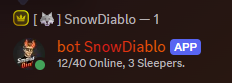
- Go to our Discord server and find the bot SnowDiablo : https://discord.com/invite/cNPwNdaVN9
- Send the unique auth code as a private message (DM) to the bot SnowDiablo.
- The bot will confirm that your account is linked and grant your kits.
3️⃣ Claim Your Kits In-Game
- Return to the Rust server and open the chat (T).
- Type: /kit to view the available kits (discord member).
- Select the kit you want to claim and receive it instantly.
- Enjoy the game and have fun on our Rust server!
Note: This is only available to Free Kit Discord members. To redeem Nitro or Twitch kits, make sure to subscribe to Twitch SnowDiablo or boost our Discord with Nitro.